Tools
Selenium WebDriver Cheat Sheet
Print-ready cheat sheet for Selenium WebDriver, organized for fast lookup, study, and desk-side use
Sample
What's in this cheat sheet
- Setup
- Browser & Navigation
- Finding Elements
- Interacting
- Waits
- Frames & Windows
- Screenshots
- Actions
- Assertions
- Common Patterns
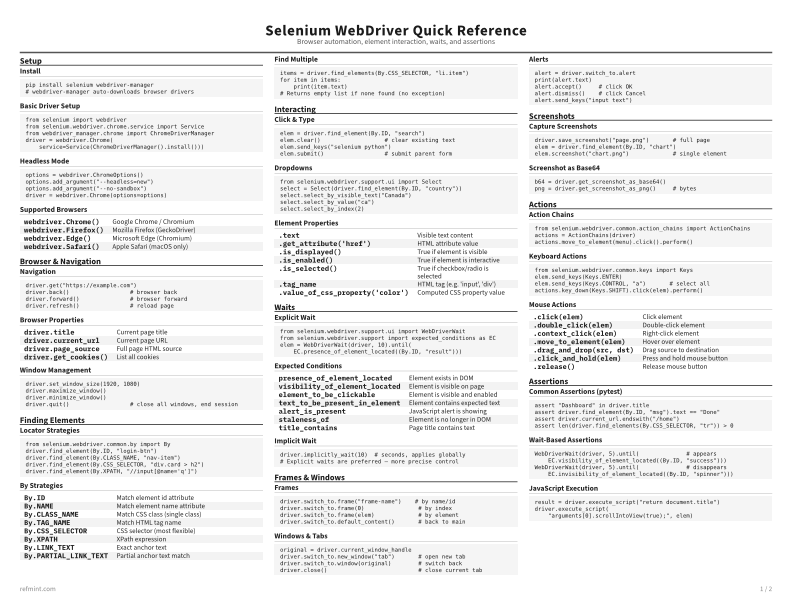
Install
pip install selenium webdriver-manager
# webdriver-manager auto-downloads browser drivers
Basic Driver Setup
from selenium import webdriver
from selenium.webdriver.chrome.service import Service
from webdriver_manager.chrome import ChromeDriverManager
driver = webdriver.Chrome(
    service=Service(ChromeDriverManager().install()))
Headless Mode
options = webdriver.ChromeOptions()
options.add_argument("--headless=new")
options.add_argument("--no-sandbox")
driver = webdriver.Chrome(options=options)
Download the full cheat sheet for all sections, formatted for print
Download PDFDownloads
Choose the treatment that matches how you read
-
Recommended
Standard
B&W, ink-efficient. The default for laser printers and photocopies
Best for Printouts and desk-side reference
-
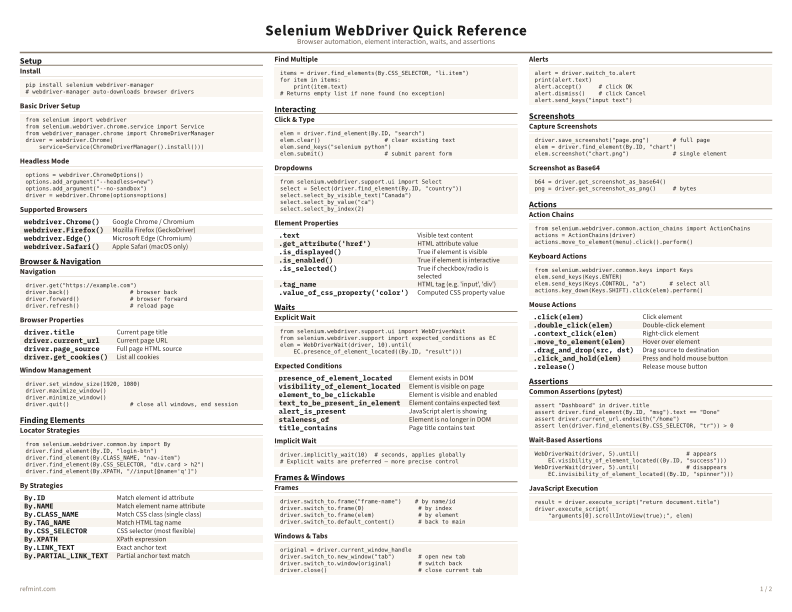
Color
Warm color accents for on-screen reading or color printers
Best for Screen reading or color printers
-
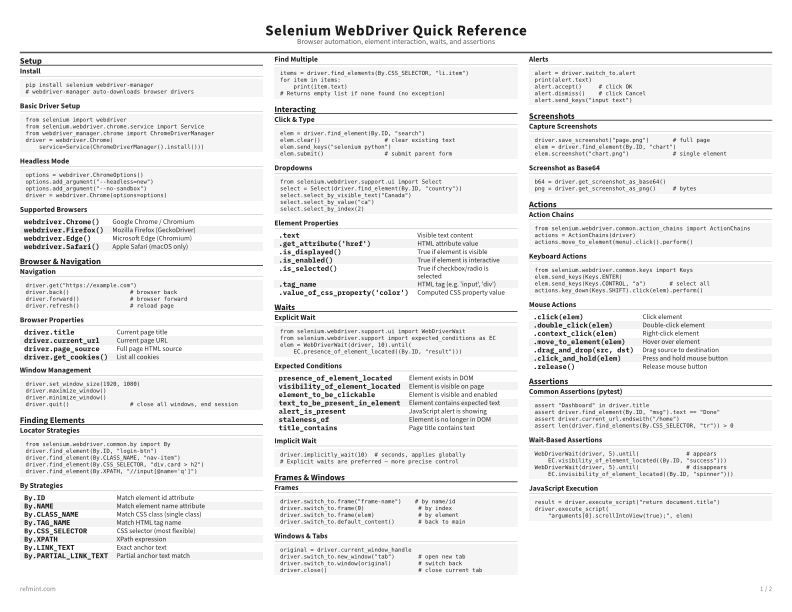
Reference Card
Maximum density, 4-column layout. Everything on one page
Best for Fast scanning and minimum paper use