Tools
PowerShell Cheat Sheet
Print-ready cheat sheet for PowerShell, organized for fast lookup, study, and desk-side use
Sample
What's in this cheat sheet
- Basics
- Variables
- Operators
- Control Flow
- Functions
- Objects & Pipeline
- Files
- Strings
- Modules
- Common Patterns
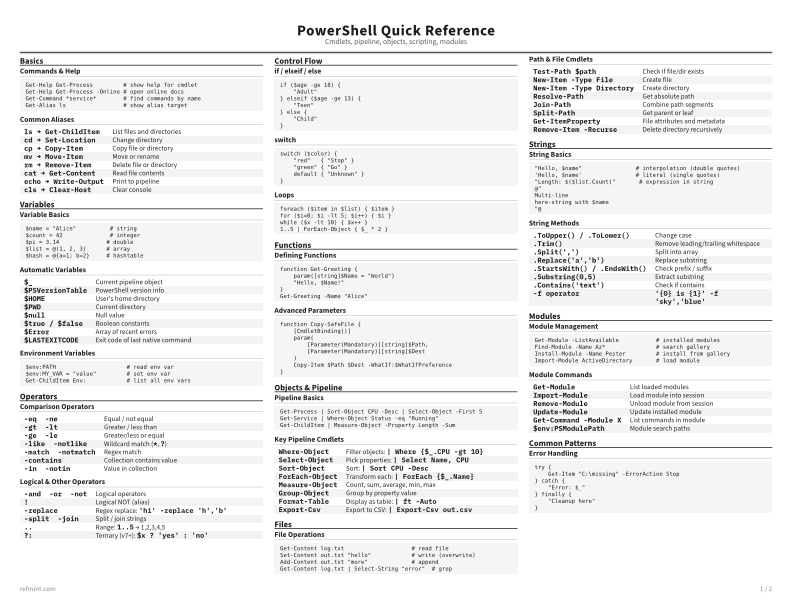
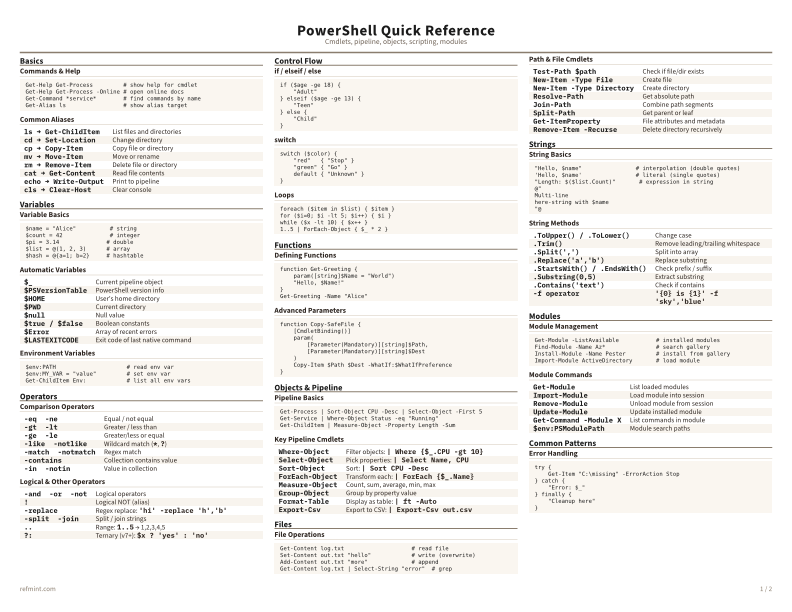
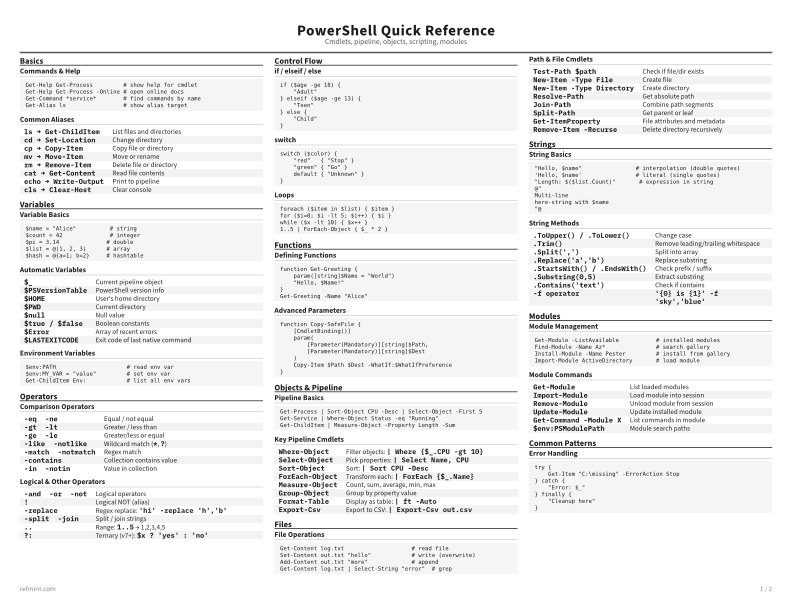
Commands & Help
Get-Help Get-Process         # show help for cmdlet
Get-Help Get-Process -Online # open online docs
Get-Command *service*        # find commands by name
Get-Alias ls                 # show alias target
Common Aliases
ls → Get-ChildItem | List files and directories |
cd → Set-Location | Change directory |
cp → Copy-Item | Copy file or directory |
mv → Move-Item | Move or rename |
rm → Remove-Item | Delete file or directory |
cat → Get-Content | Read file contents |
echo → Write-Output | Print to pipeline |
cls → Clear-Host | Clear console |
Download the full cheat sheet for all sections, formatted for print
Download PDFDownloads
Choose the treatment that matches how you read
-
Recommended
Standard
B&W, ink-efficient. The default for laser printers and photocopies
Best for Printouts and desk-side reference
-
Color
Warm color accents for on-screen reading or color printers
Best for Screen reading or color printers
-
Reference Card
Maximum density, 4-column layout. Everything on one page
Best for Fast scanning and minimum paper use