Tools
Jira Cheat Sheet
Print-ready cheat sheet for Jira, organized for fast lookup, study, and desk-side use
Sample
What's in this cheat sheet
- Issues
- JQL Search
- Workflows
- Boards
- Sprints
- Filters
- Shortcuts
- Common Patterns
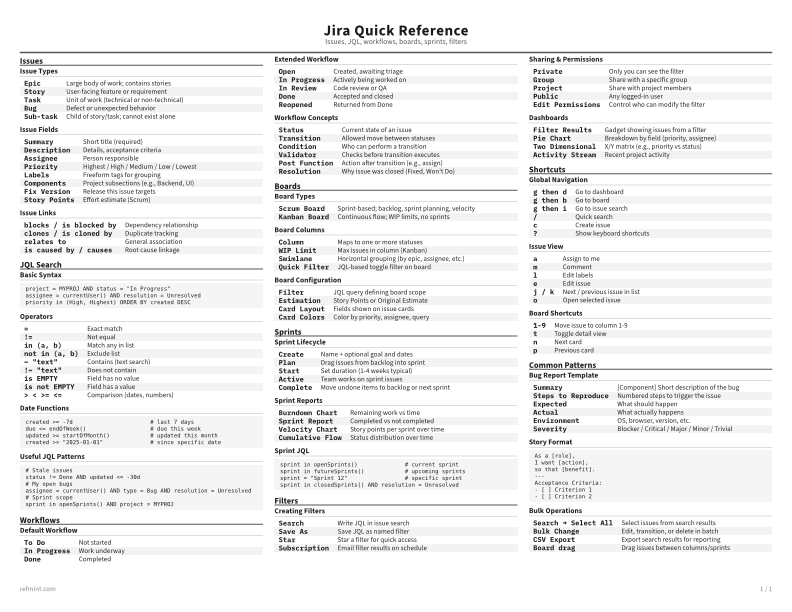
Issue Types
Epic | Large body of work; contains stories |
Story | User-facing feature or requirement |
Task | Unit of work (technical or non-technical) |
Bug | Defect or unexpected behavior |
Sub-task | Child of story/task; cannot exist alone |
Issue Fields
Summary | Short title (required) |
Description | Details, acceptance criteria |
Assignee | Person responsible |
Priority | Highest / High / Medium / Low / Lowest |
Labels | Freeform tags for grouping |
Components | Project subsections (e.g., Backend, UI) |
Fix Version | Release this issue targets |
Story Points | Effort estimate (Scrum) |
Issue Links
blocks / is blocked by | Dependency relationship |
clones / is cloned by | Duplicate tracking |
relates to | General association |
is caused by / causes | Root cause linkage |
Download the full cheat sheet for all sections, formatted for print
Download PDFDownloads
Choose the treatment that matches how you read
-
Recommended
Standard
B&W, ink-efficient. The default for laser printers and photocopies
Best for Printouts and desk-side reference
-
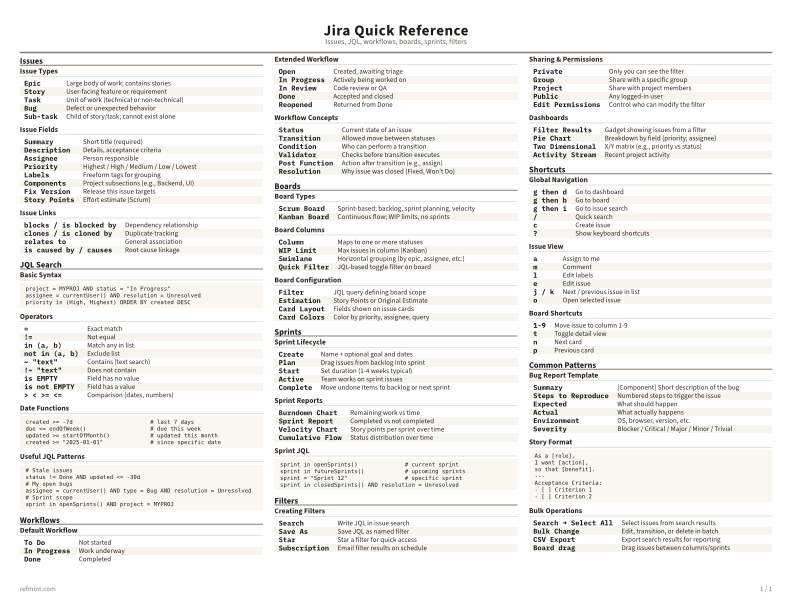
Color
Warm color accents for on-screen reading or color printers
Best for Screen reading or color printers
-
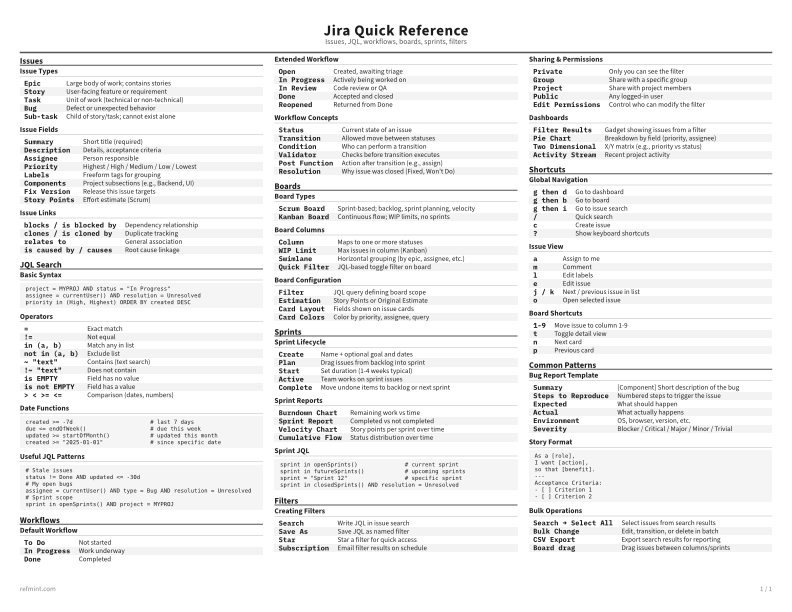
Reference Card
Maximum density, 4-column layout. Everything on one page
Best for Fast scanning and minimum paper use