AI
Herdr Cheat Sheet
Print-ready cheat sheet for Herdr, organized for fast lookup, study, and desk-side use
Sample
What's in this cheat sheet
- Mental Model
- Getting Started
- Key Bindings
- Sessions & Remote
- Scripting Panes
- Orchestrating Agents
- Configuration
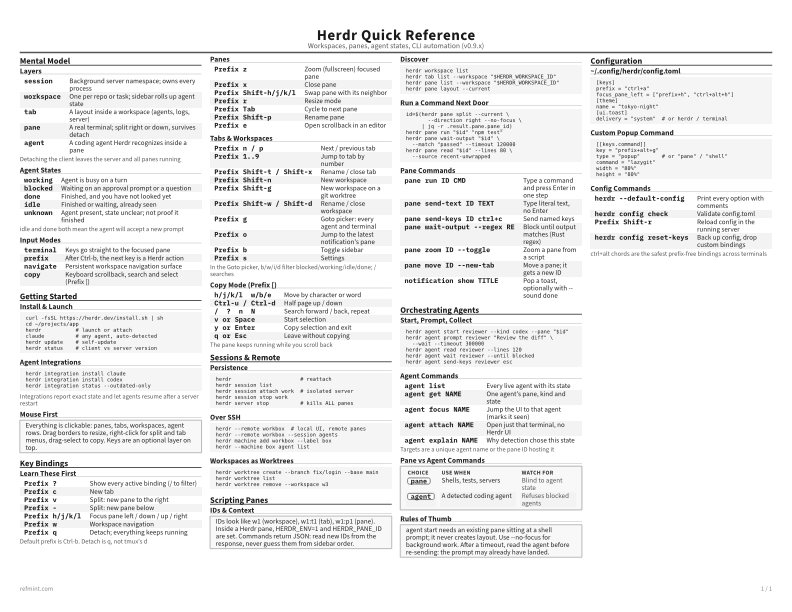
Layers
session | Background server namespace; owns every process |
workspace | One per repo or task; sidebar rolls up agent state |
tab | A layout inside a workspace (agents, logs, server) |
pane | A real terminal; split right or down, survives detach |
agent | A coding agent Herdr recognizes inside a pane |
Detaching the client leaves the server and all panes running
Agent States
working | Agent is busy on a turn |
blocked | Waiting on an approval prompt or a question |
done | Finished, and you have not looked yet |
idle | Finished or waiting, already seen |
unknown | Agent present, state unclear; not proof it finished |
idle and done both mean the agent will accept a new prompt
Input Modes
terminal | Keys go straight to the focused pane |
prefix | After Ctrl-b, the next key is a Herdr action |
navigate | Persistent workspace navigation surface |
copy | Keyboard scrollback, search and select (Prefix [) |
Download the full cheat sheet for all sections, formatted for print
Download MarkdownQuick Map
Choose the format by how you work
- Markdown Best when you want commands, files, and config snippets you can paste immediately
- Reference Card Best when you want one-page scanning while coding, debugging, or reviewing docs
- Standard / Color Best when you want fuller reading, printouts, or teaching material
Downloads
Pick a PDF treatment fast
-
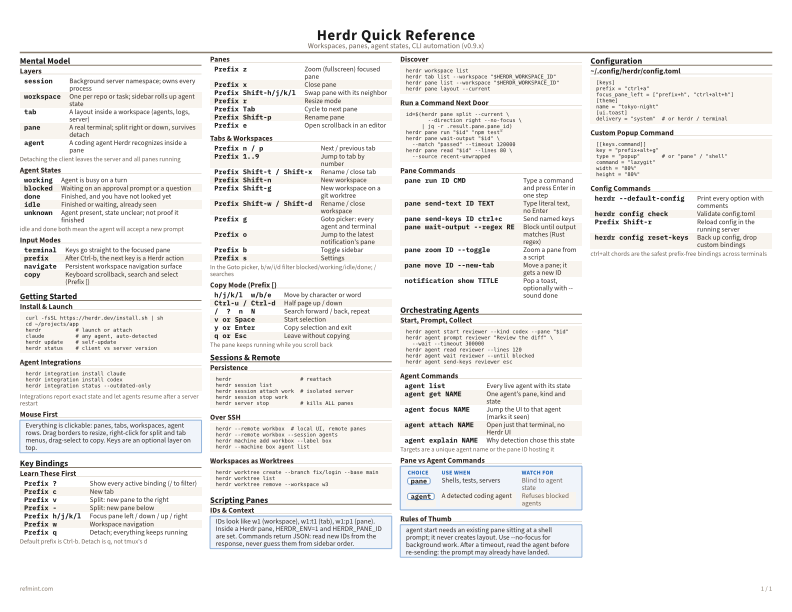
Standard
B&W, ink-efficient. The default for laser printers and photocopies
Best for Printouts, annotation, and full reading
-
Color
Warm color accents for on-screen reading or color printers
Best for Screen reading, demos, and teaching
-
Recommended
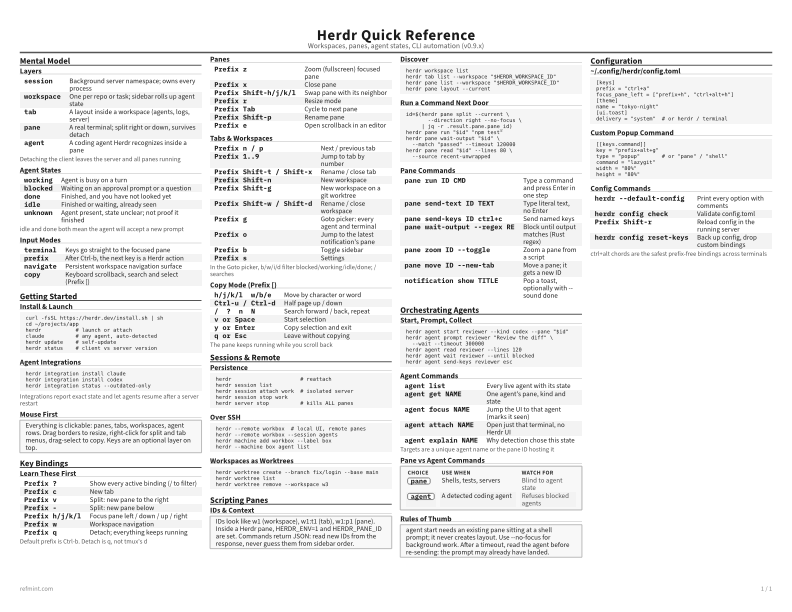
Reference Card
Maximum density, 4-column layout. Everything on one page
Best for One-page scanning while you work