Tools
Chrome DevTools Cheat Sheet
Print-ready cheat sheet for Chrome DevTools, organized for fast lookup, study, and desk-side use
Sample
What's in this cheat sheet
- Elements
- Console
- Network
- Sources
- Performance
- Application
- Lighthouse
- Shortcuts
- Mobile Debug
- Common Patterns
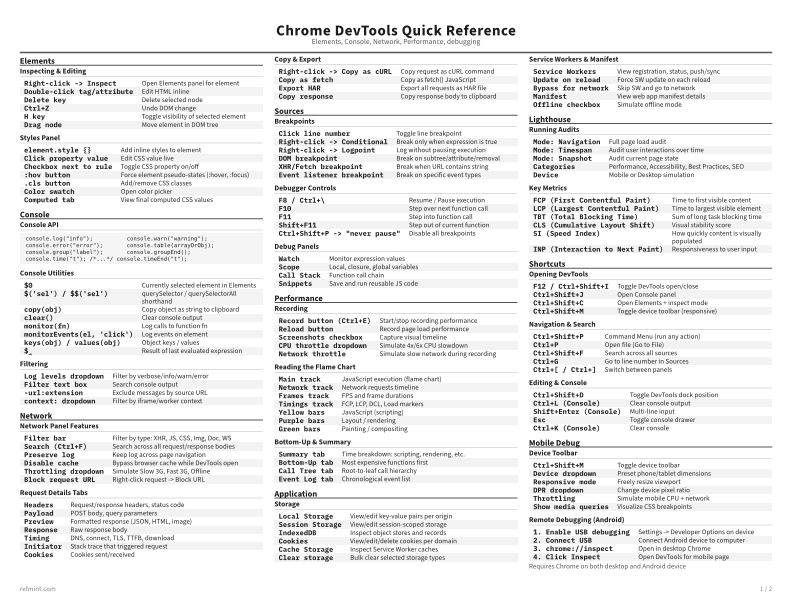
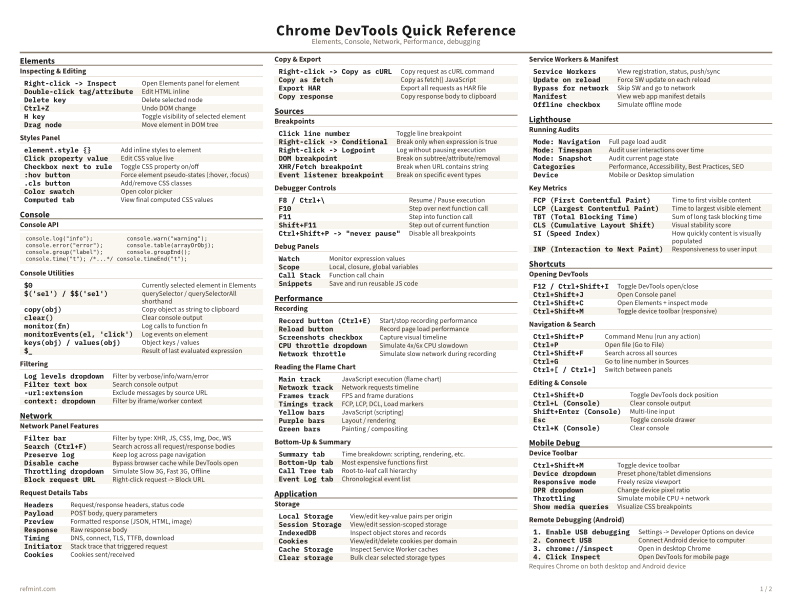
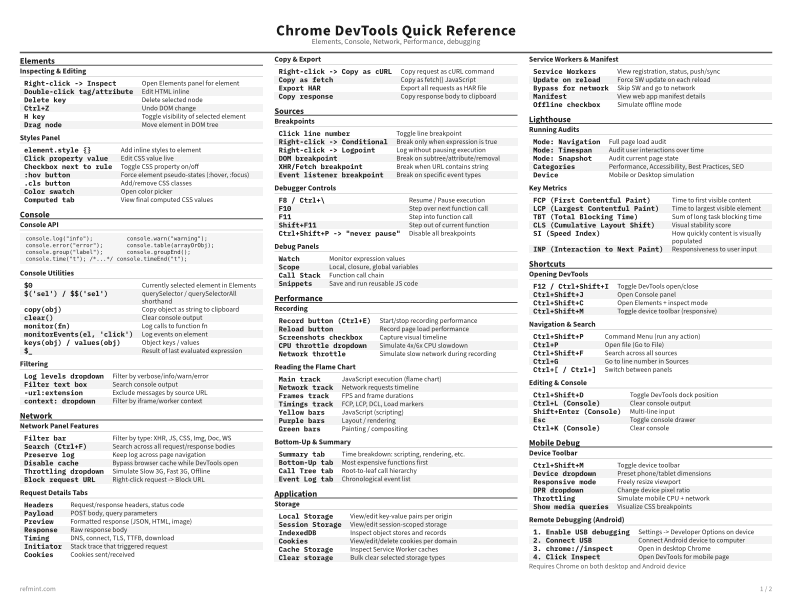
Inspecting & Editing
Right-click -> Inspect | Open Elements panel for element |
Double-click tag/attribute | Edit HTML inline |
Delete key | Delete selected node |
Ctrl+Z | Undo DOM change |
H key | Toggle visibility of selected element |
Drag node | Move element in DOM tree |
Styles Panel
element.style {} | Add inline styles to element |
Click property value | Edit CSS value live |
Checkbox next to rule | Toggle CSS property on/off |
:hov button | Force element pseudo-states (:hover, :focus) |
.cls button | Add/remove CSS classes |
Color swatch | Open color picker |
Computed tab | View final computed CSS values |
Download the full cheat sheet for all sections, formatted for print
Download PDFDownloads
Choose the treatment that matches how you read
-
Recommended
Standard
B&W, ink-efficient. The default for laser printers and photocopies
Best for Printouts and desk-side reference
-
Color
Warm color accents for on-screen reading or color printers
Best for Screen reading or color printers
-
Reference Card
Maximum density, 4-column layout. Everything on one page
Best for Fast scanning and minimum paper use